

All membership billing, renewals, and cancellations are managed through the Outdoor Adventure Training website — not inside the OAT Fit App. The app is where your training lives, but your account and subscription settings are handled on the web.
If you need to cancel your membership, follow the steps below.
Step 1: Sign In to Your Account
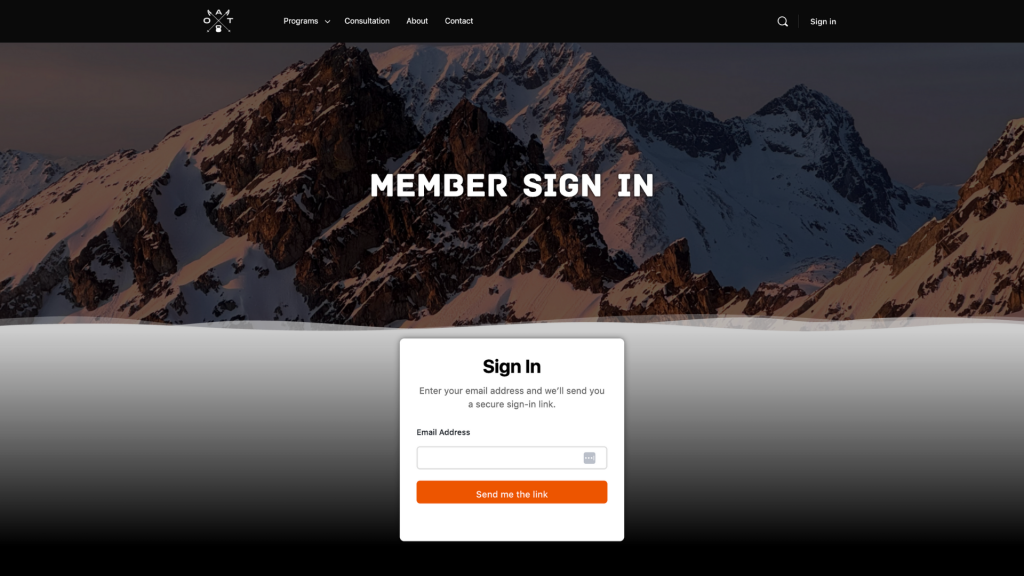
Start by logging into your OAT account on the website.
- Go to outdooradventuretraining.com
- Click Sign In in the top right corner
- Enter the same email address you used when signing up
Once logged in, you’ll be taken to your member dashboard.
Step 2: Navigate to Your Membership
From your account dashboard:
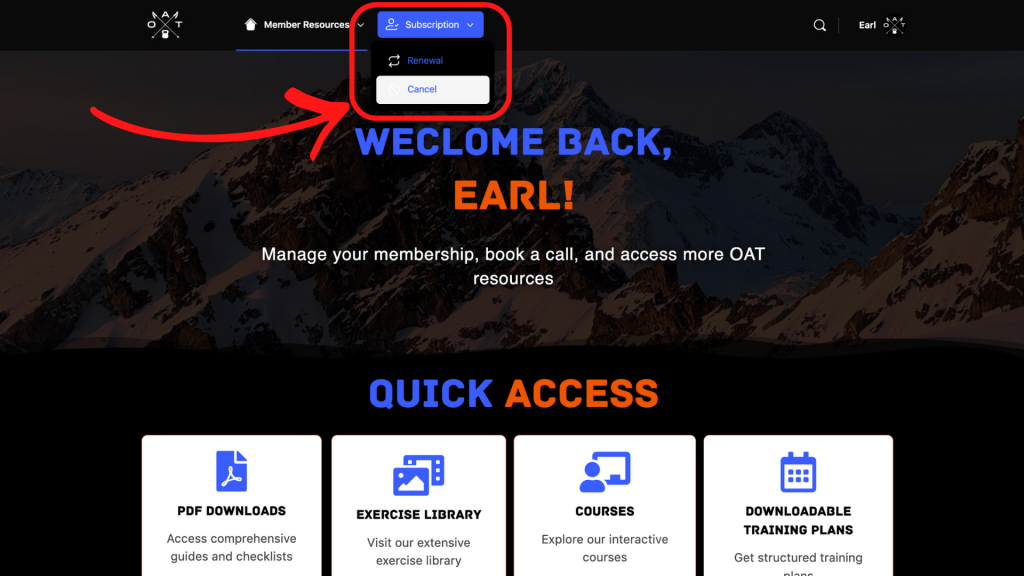
- Hover over the Subscription tab, and click Cancel.
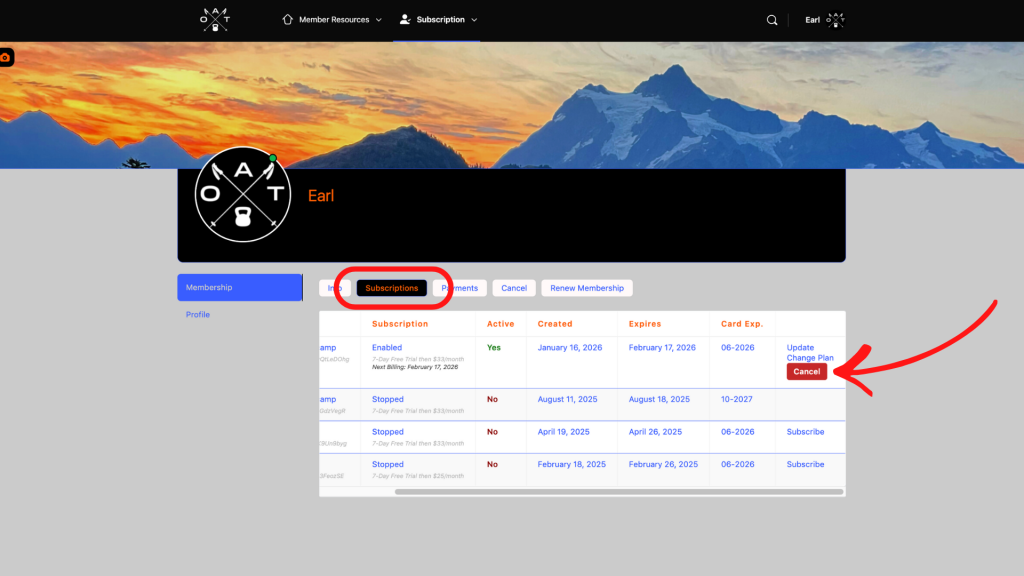
- If you have multiple subscriptions, click the Subscriptions tab instead
The Subscriptions view lets you scroll horizontally and manage individual subscriptions if needed.
Step 3: Cancel Your Membership
To cancel:
- Select the subscription you want to cancel
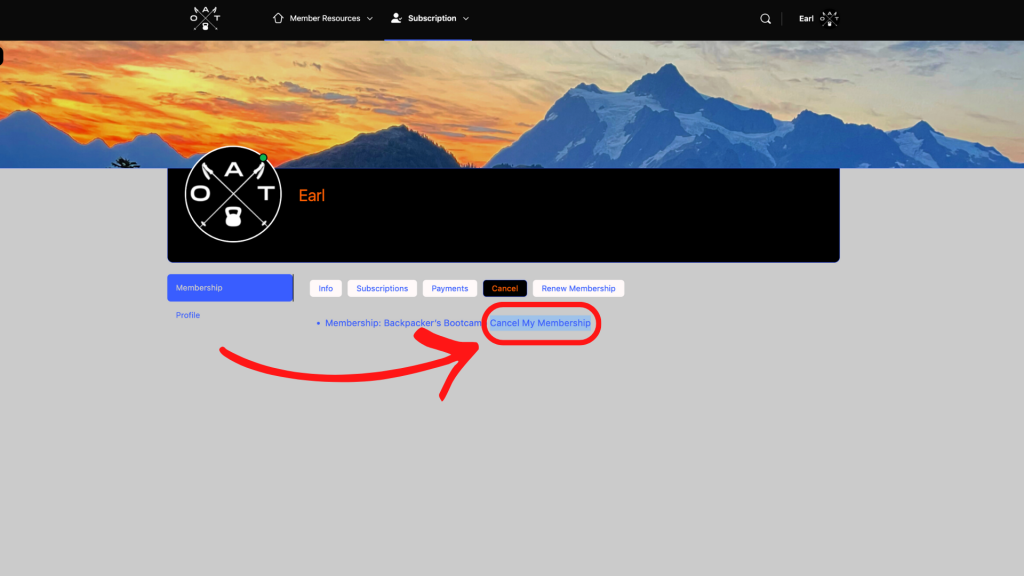
- Click Cancel My Membership
- Confirm when prompted
Once canceled, your membership status will update immediately and you will receive a confirmation email.
What Happens After You Cancel
What happens next depends on the type of membership you’re on. Here’s how each scenario works.
Free Trial
If you cancel before your free trial ends, you will not be charged.
- You’ll keep access to the OAT Fit App until the end of the free trial period
- Once the trial expires, your access will automatically end
- At that point, you’ll be logged out of the app and lose access to your program
Monthly Membership
If you cancel an active monthly membership:
- You’ll retain full access to your program through the end of your current billing period
- Your membership will not renew
- Once that billing period ends, your access will automatically stop and you’ll be removed from the program
There is no immediate cutoff when you cancel, access continues until the paid period ends.
3-Month, 6-Month, and Annual Memberships
These plans are paid in full upfront.
- Once purchased, they remain active through the full term
- They cannot be canceled mid-cycle
- Access continues until the listed expiration date, even if you cancel early
When the term ends, access to the app and program will automatically expire.
Special Circumstances
In rare cases involving significant, unexpected life events, you may reach out to request a review of your membership. These situations are handled on a case-by-case basis and are not guaranteed.
If you think your situation qualifies, contact us directly before your membership expires.


